The scanner How it works Features Pricing Contact Join the waitlist
For iPhone

Snap any bill.
Know what to put aside.

Point your iPhone at a bill or a receipt. SinkWise reads it in seconds — the biller, the amount, the due date, every item — and tells you exactly what to put aside each payday so it’s covered before it’s due.
Coming soon to the App Store. Confirm your email and we’ll email you once it’s live, nothing else. Privacy

See the scanner →
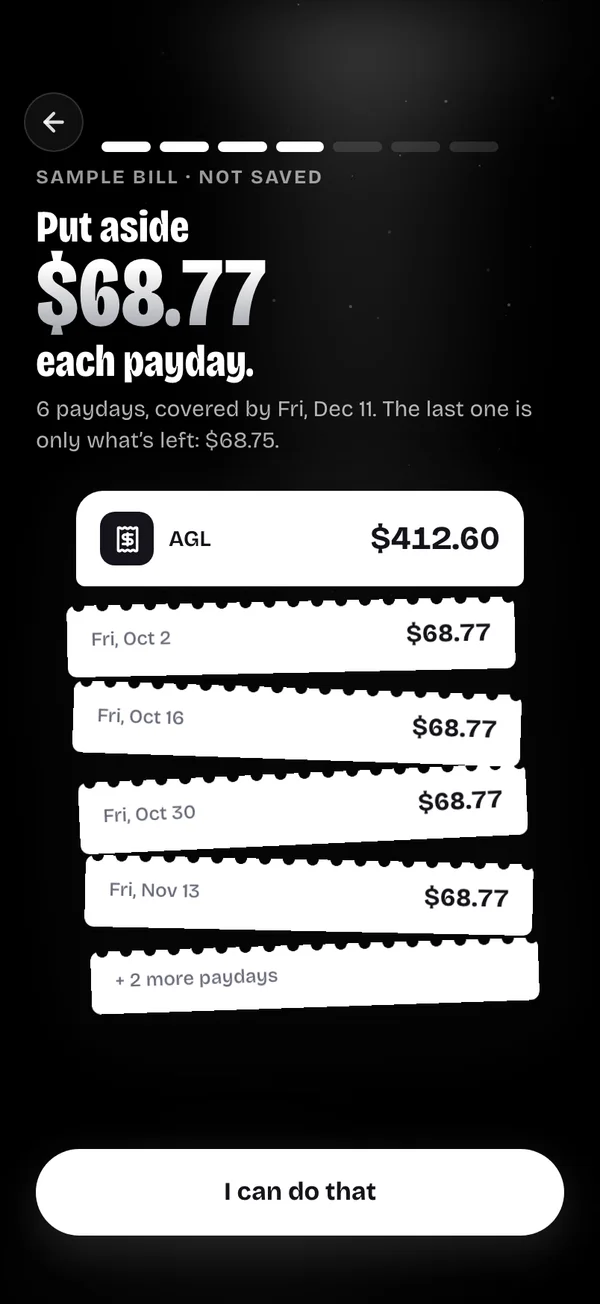
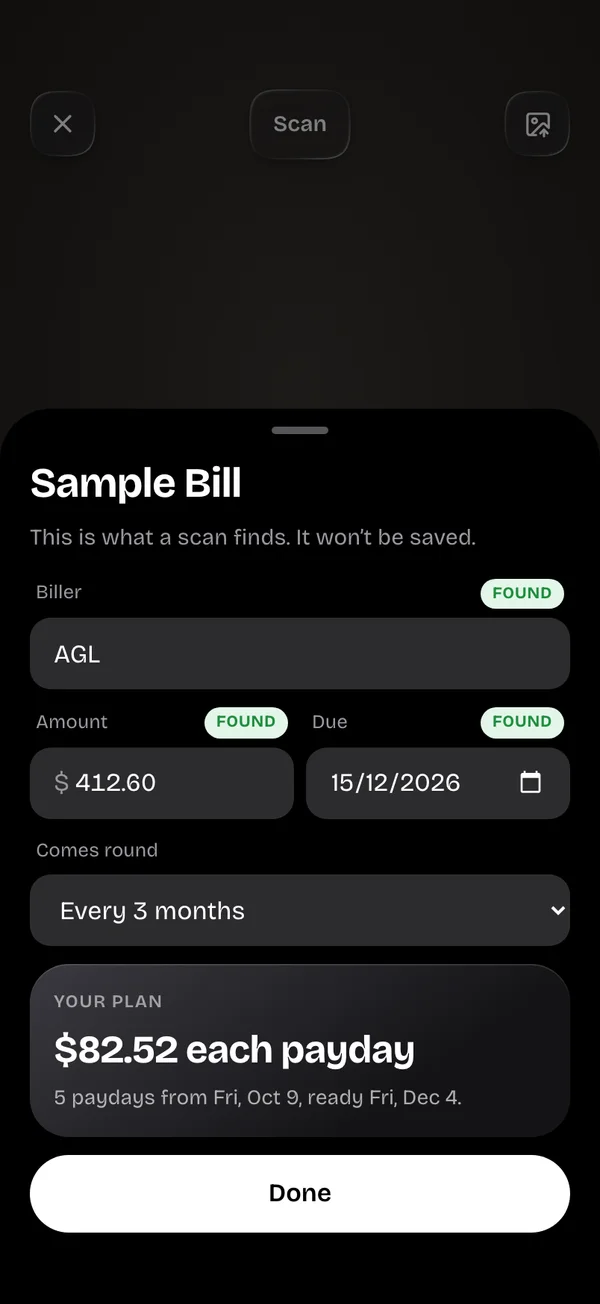
SinkWise reading a sample bill: biller, amount and due date found, with a payday plan
Read in seconds Biller, amount, due date
The scanner

One photo does the typing for you.

The scanner is the heart of SinkWise. Snap a bill, or an invoice on paper or a laptop screen, and it builds the plan. Snap a receipt and it records the spend, item by item. Snap a price tag and it shows what that buy would do to your goals.

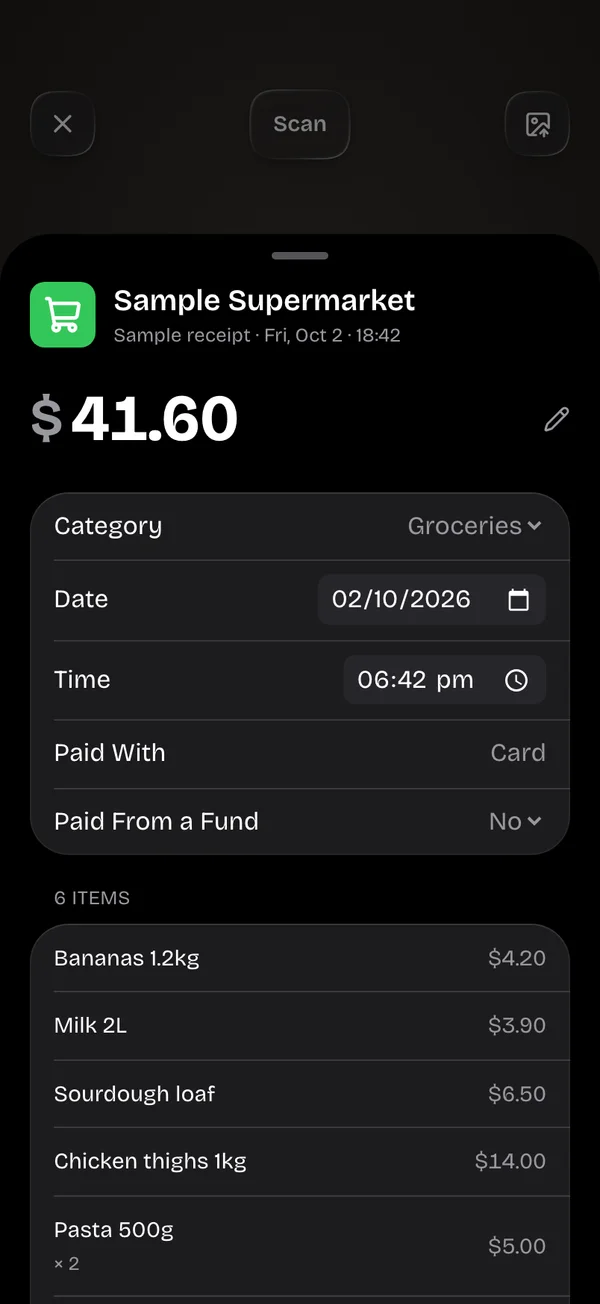
A scanned supermarket receipt with every item listed
ReceiptsShop, total, every item
A sample bill split into payday amounts
BillsSplit into your paydays
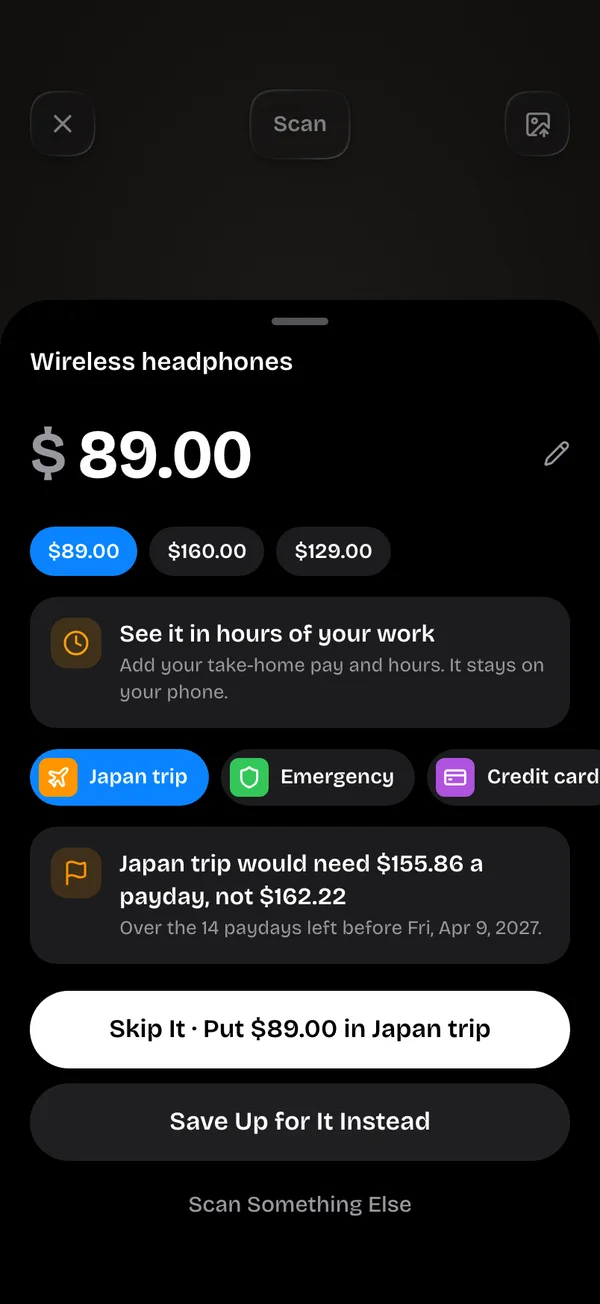
A price tag shown in hours of work and its effect on a goal
Price tagsWhat it does to your goals
1 phototo plan a bill
Every itemread off a receipt
To the centeach payday
3 daysfree trial
What it reads

Point it at the paper. It does the rest.

The scanner works out what it’s looking at, pulls out the details that matter, and shows you all of it to check before anything is saved. Not a bill or a receipt? It says so.

Bills

  • Who it’s from
  • Amount due and due date
  • Billing period and how often it comes round
  • Then: exactly what to put aside each payday

Receipts

  • Shop, date and time
  • Total, tax and how you paid
  • Every item on it
  • Then: saved to your spending, sorted by category

Price tags

  • The price, even next to the “was” price
  • What it costs in hours of your work
  • How much sooner a goal is done if you skip it
  • Then: skip it, or save up for it
How it works

Three steps. One photo.

01

Tell it your paydays

Weekly, fortnightly, monthly or twice a month. Every plan is built around the days you actually get paid.

02

Snap the bill

Point your camera at it, or pick a screenshot. SinkWise reads it and shows you what it found so you can check it.

03

Put aside your number

Each payday, one amount per bill or goal, to the cent. The last payday is only what’s left, and the bill is covered before it’s due.

Everything else

Built around the scanner, and your paydays.

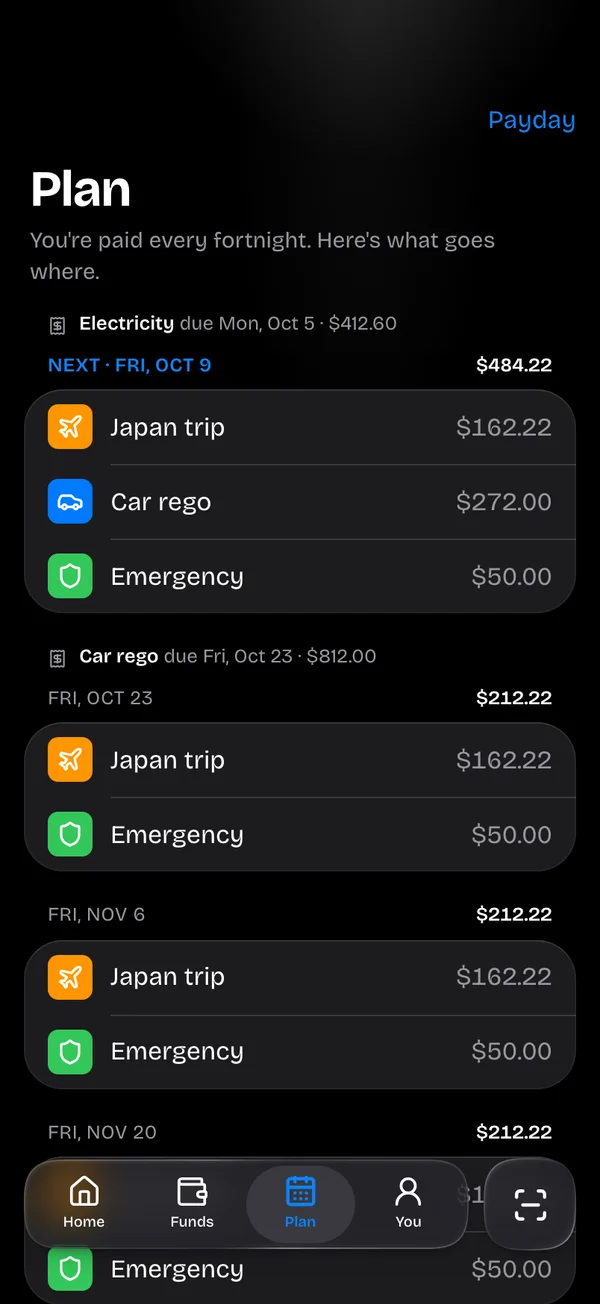
The whole plan

Every coming payday and exactly what goes into each bill and goal. Amounts are worked out from what you enter, never guessed.

Nudges that help

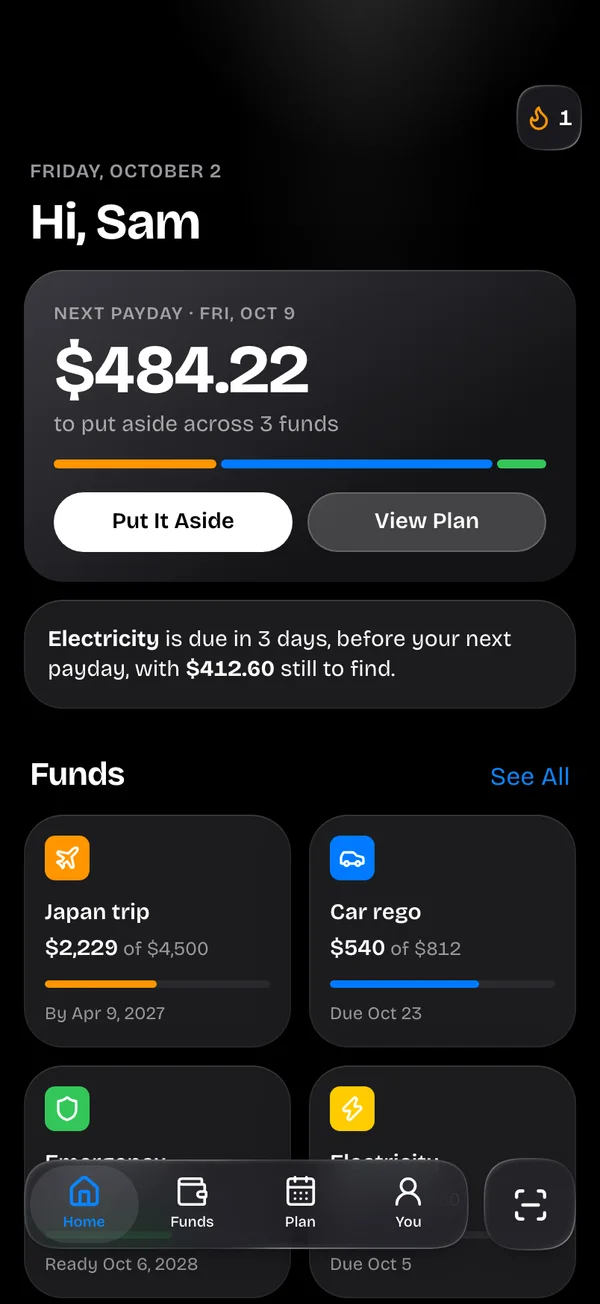
The exact amount on payday, a heads-up 3 days before a bill, and tips from your own spending, like how much the daily coffee really adds up to.

Streaks and badges

A daily check-in streak, payday streaks and badges for real milestones, with a proper celebration when a goal is reached or a debt is paid off.

Spending, mapped

Every scanned receipt is sorted by category, item by item. See the month as a chart, or as a web of every shop and item on the price map.

Make it yours

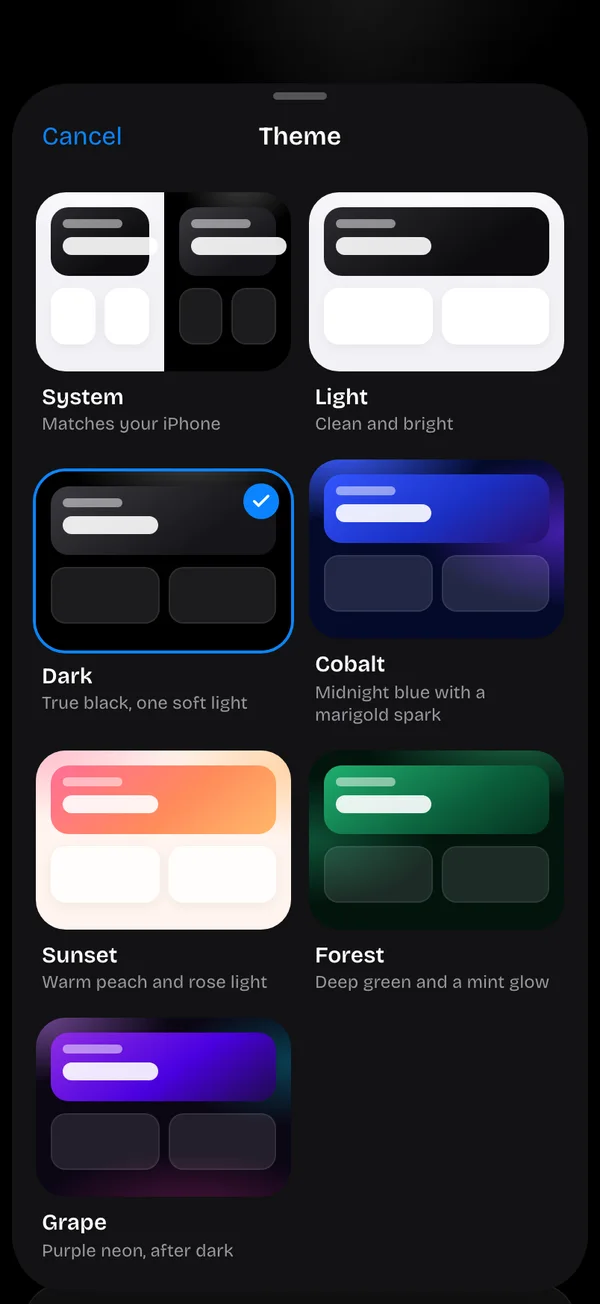
Light or dark, following your iPhone, or a theme with its own lighting. The app icon switches with your home screen.

Private by design

Sign in with Apple or Google, no passwords. Your data is never sold. Turn AI scanning off and photos never leave your iPhone.

Coming soon

Connect your bank.

We’re working on secure, read-only bank connections, so your spending and pay can fill in by themselves. Until then, the scanner does the typing for you: snap a receipt, a bill or an invoice and it’s in.

Tell me when it’s ready
Pricing

One plan. Try it free.

Monthly
US$4.99/ month
  • Everything in SinkWise
  • Billed monthly through the App Store
  • Renews automatically until you cancel
Coming soon
Used SinkWise on the web?

The web app closed on 2 October 2026, but your account and your funds are safe. When the iPhone app launches, tap Continue with Google with the same email address and everything will be there. The app only offers Sign in with Apple and Google, so if you signed up with another email (for example Outlook) and a password, contact us and we’ll send you a copy of your data, move it to your new account, or delete it, free.

Snap it. Split it. Sorted.

SinkWise is coming soon to the App Store for iPhone. Be the first to know.

Coming soon to the App Store. Confirm your email and we’ll email you once it’s live, nothing else. Privacy

FAQ

Questions, answered

When can I download it?
SinkWise is coming soon to the App Store for iPhone. Join the waitlist and we’ll email you the day it’s out. This page will have the download link too.
How does the scanner work?
Your iPhone reads the text on the photo first. With “Read Scans with AI” on, the photo is then sent to SinkWise’s server and our AI provider (Anthropic) to pick out the details, and it isn’t kept by us. With it off, everything is read on your iPhone. Either way, you check what it found before anything is saved.
Does it connect to my bank?
Not yet. Read-only bank connections are coming, so spending can fill in by itself. SinkWise will never move money: you move money in your banking app, and SinkWise keeps the plan. Until then, scan receipts, bills and invoices instead of typing them.
Is there an Android or web version?
Not right now. The web app closed when SinkWise became an iPhone app. Android may come later.
Who can use it?
Anyone 13 or older. If you’re under 18, a parent or guardian needs to OK it before you buy a subscription.
Can I cancel?
Yes, any time, in your iPhone’s Settings › [your name] › Subscriptions. You keep everything until the end of the period you’ve paid for.
Is it financial advice?
No. SinkWise is a planning tool. Its figures are arithmetic on what you enter, not advice about your situation. Full details in our Terms and Privacy Policy.
Contact

Any questions or concerns?

Questions, bug reports, feature ideas — we read every message. Send us a note and we'll get back to you.

0 / 5000